Phone app · Making & tinkering
Time Design for iPhone
Your week, by design
The native iPhone app for Time Design. See what's running now and what's next, start and finish blocks with one tap, move them on a day or week calendar, and compare designed and lived hours. Carlisle, the built-in assistant, plans your day for you to review.
See it hanging in the sketch room →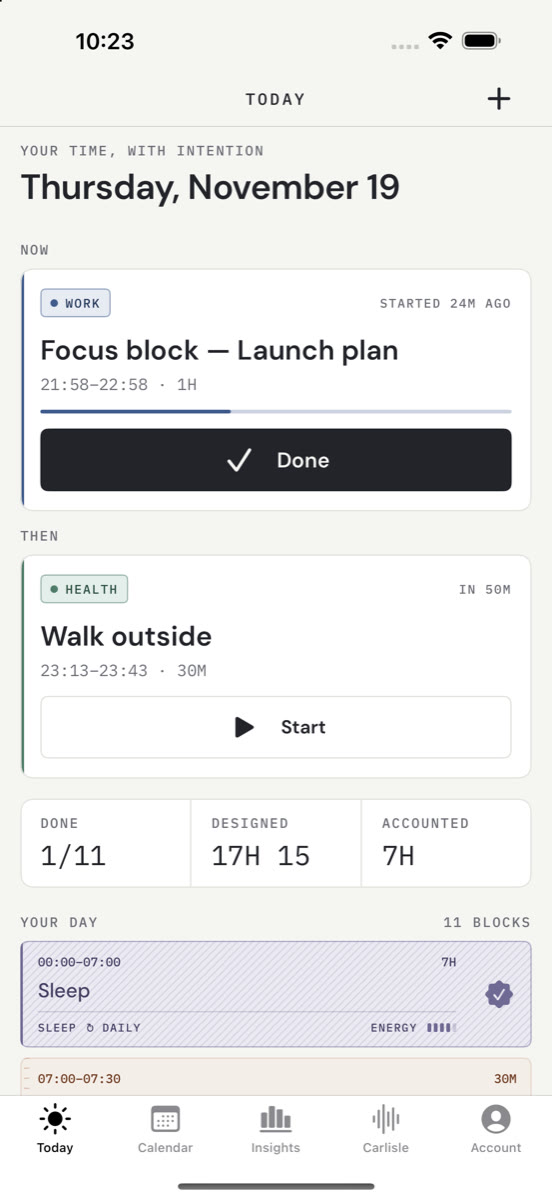
Today: the block running now with a Done button, the next one with Start, and the day's totals 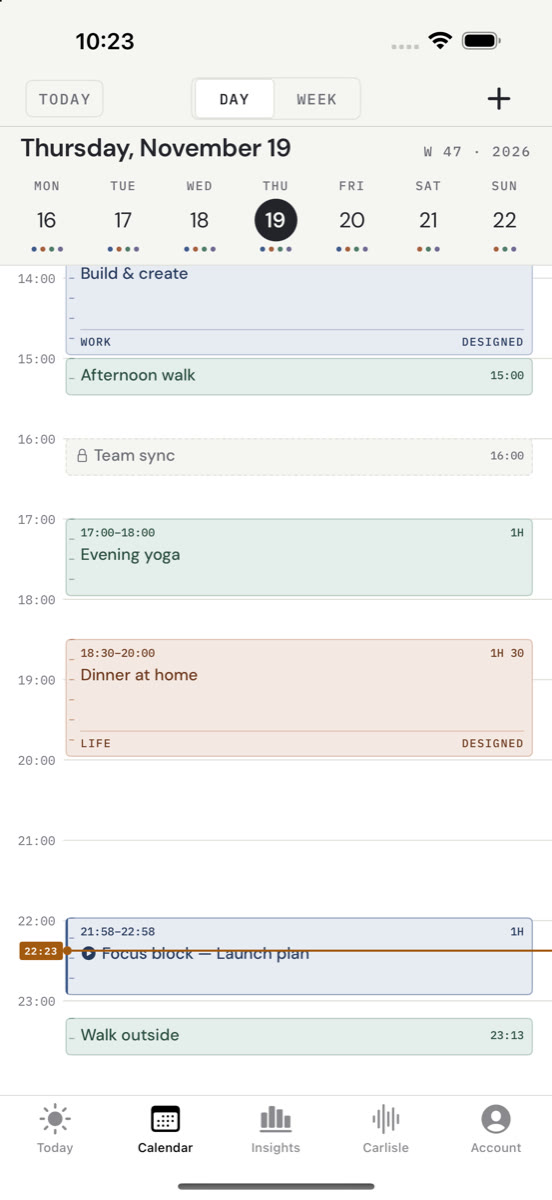
The day calendar for a Thursday, with the current time marked across it 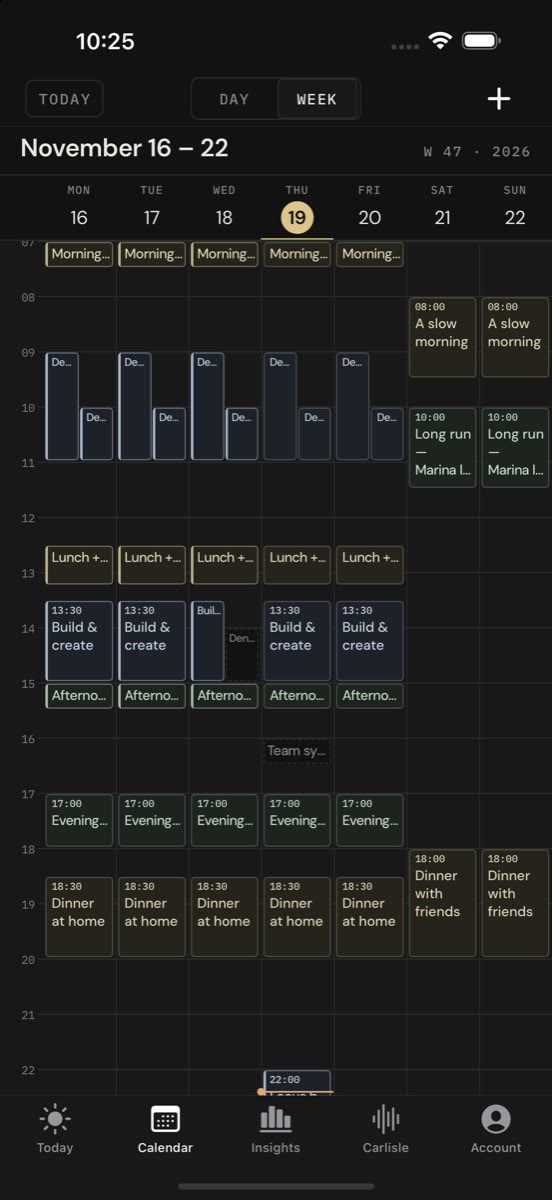
The week calendar in dark mode 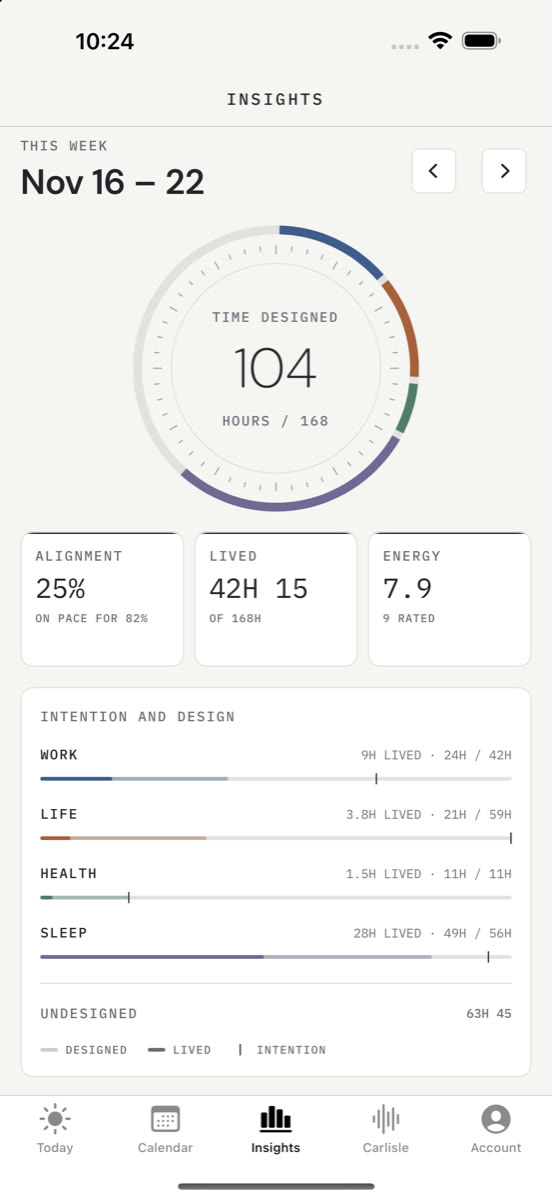
Insights: designed hours out of 168, alignment, lived hours and energy, and each pillar against its intention 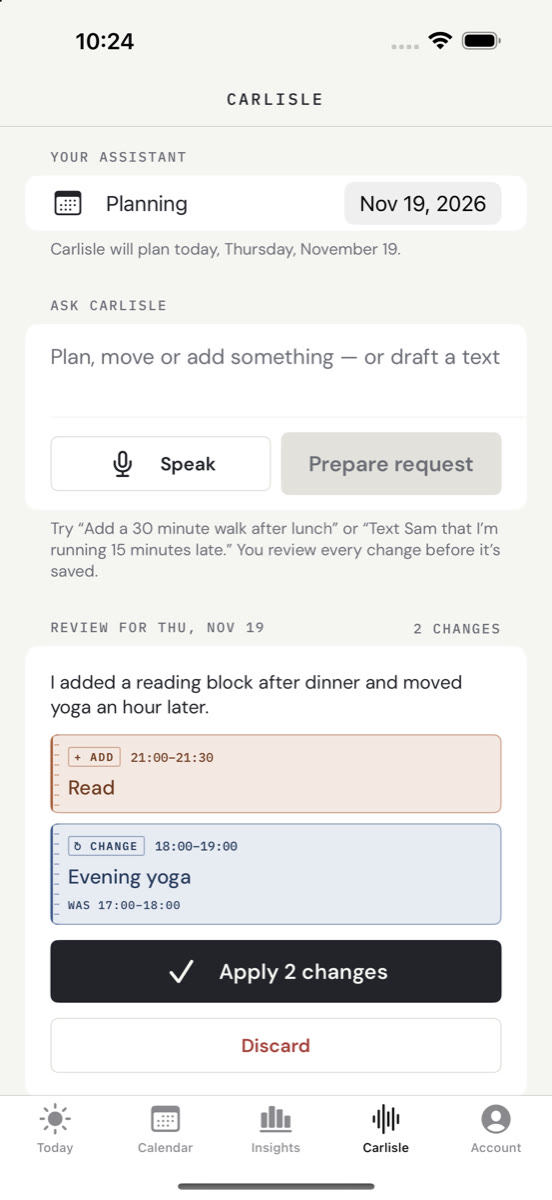
Carlisle: ask it to plan, move or add something, then review its changes before applying them 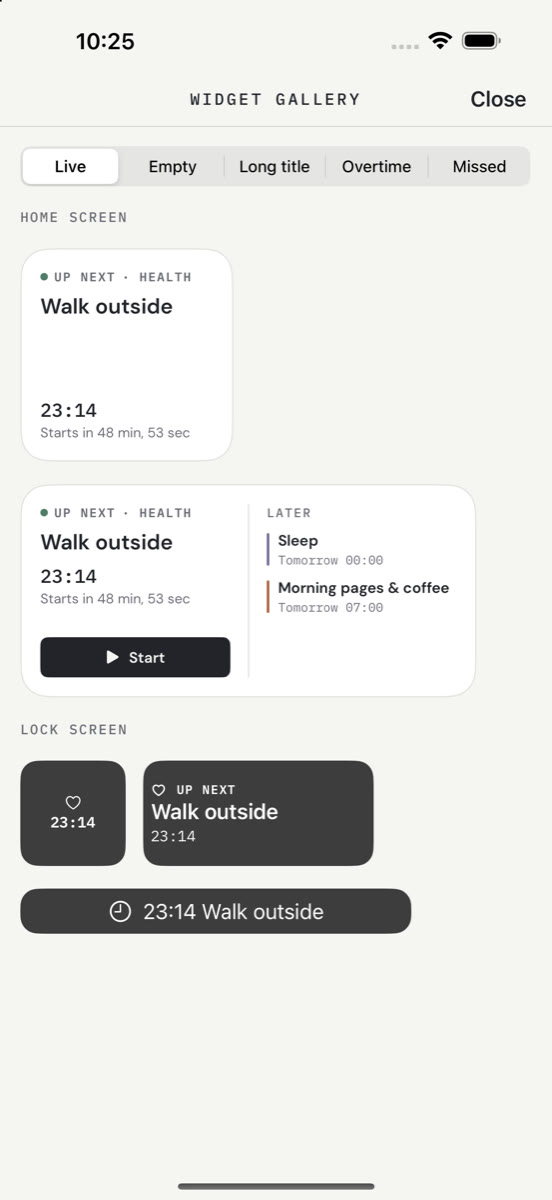
The widget gallery: home screen and lock screen widgets showing what's up next
What it does
- Today: what's running now and what's next, with one-tap Start and Done
- Day and week calendar; long-press and drag a block to move it
- Insights: designed vs lived hours per pillar, same math as the website
- Carlisle plans your day; nothing is saved until you tap Apply
- Widgets, Live Activity in the Dynamic Island, and Siri shortcuts
- Offline: the last loaded week stays readable without a connection
Notes in the margin
- replaces the earlier Luceday app
- SwiftUI, no third-party code
- screens show sample data